
TV Calendar: Never Miss an Episode Again
Track your favorite shows, follow new series, view airing schedules, and discover what's next — the TV Calendar module keeps your viewing life organized on your dashboard.
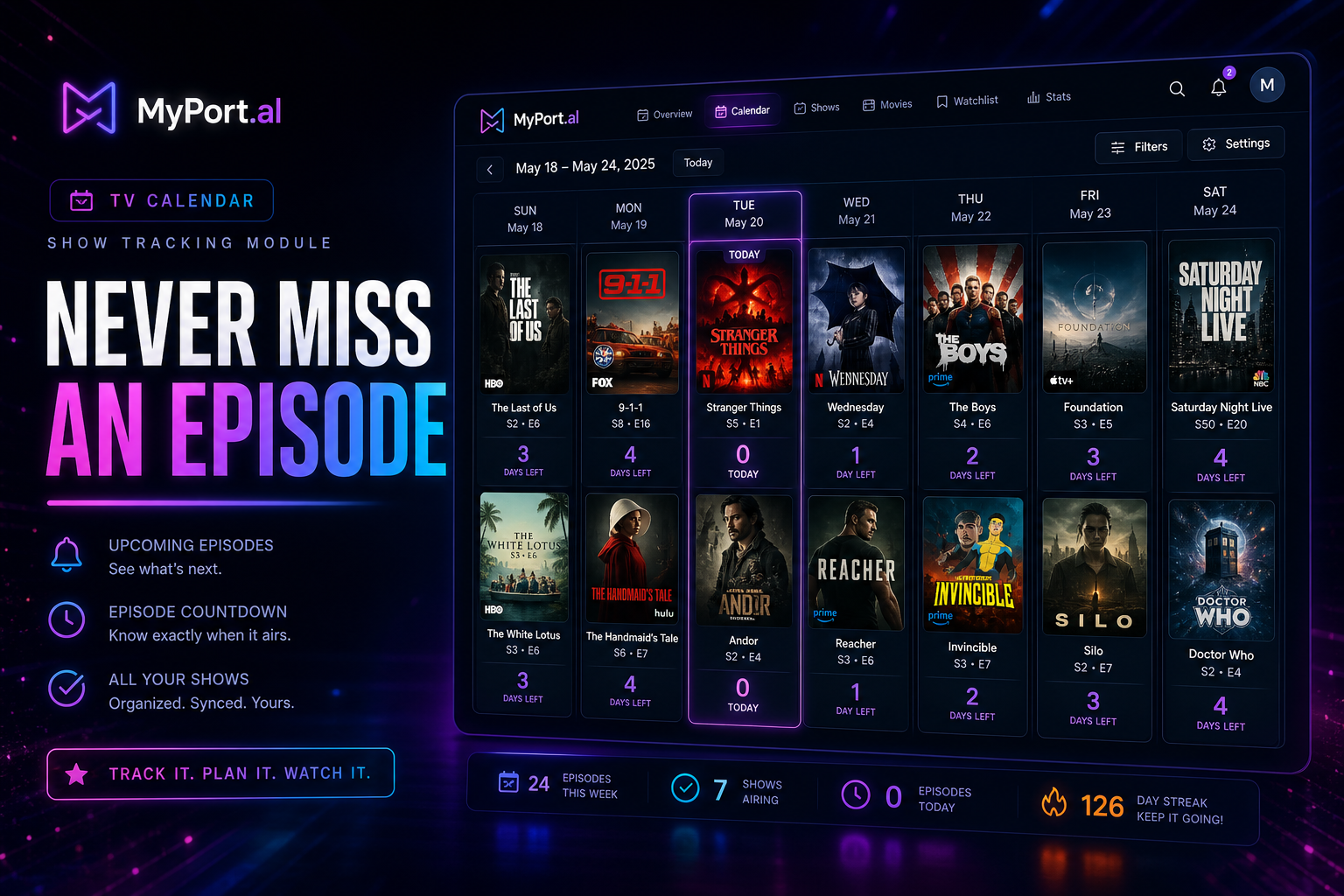
You're three episodes behind on the show everyone is talking about. You didn't know the season finale aired last night. You have four streaming services and still can't remember which one has the series your friend recommended. TV tracking shouldn't require a spreadsheet and six app icons.
The TV Calendar module puts your viewing schedule on the dashboard you already check every day.
Your Shows, Your Schedule, One Glance
Follow the series you watch — and discover new ones worth adding. View upcoming episodes on a calendar so you know what's airing tonight, tomorrow, and next week. Browse news and episode listings for details on what's new. Grid view shows what's coming soon at a glance; maximize for full calendar navigation, show management, and discovery tools.
Sunday, 6:30 PM. You open MyPort.al before dinner. TV Calendar shows two shows airing tonight — one season finale, one mid-season return. You set a mental reminder and check episode descriptions for the one you're behind on. No searching three streaming apps. No spoiler-filled social feeds. Just your schedule, where you already look.
What Makes It More Than a Widget
This isn't a static list of titles you typed once and forgot. The TV Calendar module is built for active viewers:
- Show tracking — follow favorites and get visibility into upcoming episodes
- Calendar view — see what's airing across your followed shows by date
- Episode listings and descriptions — know what's coming without leaving your dashboard
- Discovery tools — find new shows to add to your follow list
- News integration — stay current on show updates and announcements
- Grid and maximized views — tonight's lineup on your board, full calendar when expanded
- Dashboard-native refresh — update schedules from the module header like every other module
The Fun Factor
There's a low-key satisfaction in never being the person who asks "wait, that already aired?" TV Calendar turns passive viewing into intentional viewing — you choose what to follow, see what's coming, and plan around it. Season finales feel like events when they're on your calendar three days out.
Pair it with your Countdown Timer for premiere night or your Notifications module for episode reminders, and your dashboard becomes mission control for everything you watch.
Who It's For
- Binge watchers and weekly viewers juggling multiple shows across streaming services
- Households coordinating TV time who need a shared view of what's airing when
- Discovery-oriented viewers looking for new series without algorithm rabbit holes
- Dashboard organizers who want entertainment planning beside calendar and to-do modules
Start With TV Calendar
TV Calendar is free to add, updates as new episodes are announced, and takes a minute to follow your first show. Add the series you're watching now and see what's on this week.
Preview the TV Calendar module or add it to your dashboard — and stop finding out about finales a day late.
Try the TV Calendar app on your dashboard.