
Building an Agent-Friendly Platform: How MyPort.al Works with Autonomous Agents
A technical deep-dive into how MyPort.al integrates with autonomous agents via MCP, REST APIs, webhooks, and discovery protocols.
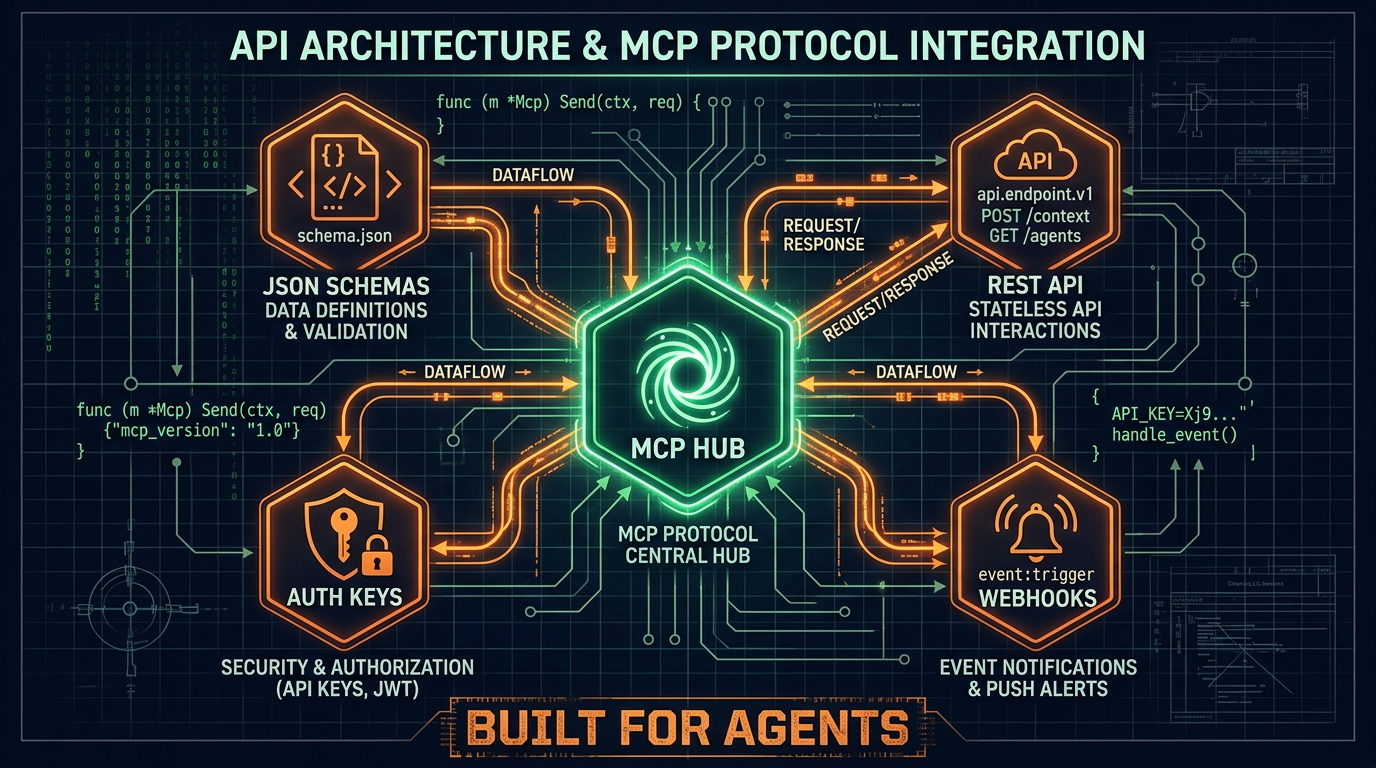
Making a platform "agent-friendly" isn't just about having an API. It's about designing every layer of the system — discovery, authentication, data access, event notification, and documentation — with autonomous agents as first-class consumers.
Here's how we built MyPort.al to work seamlessly with agents like OpenClaw, and the architectural decisions behind it.
Discovery: How Agents Find Us
Before an agent can use your platform, it needs to know you exist and what you offer. We publish three discovery files:
/.well-known/clawl.json — The Clawl protocol manifest. This is like robots.txt but for AI agents: instead of telling crawlers what not to index, it tells them what your service can do. Agents searching the Clawl registry find MyPort.al and see our full capability list.
/llms.txt — A structured Markdown file following the llms.txt standard. It gives LLMs a curated summary of what MyPort.al is, what it offers, and where to find documentation. Think of it as the "about page" optimized for AI consumption.
/api/openapi.json — A full OpenAPI 3.1 specification describing every API endpoint, request/response schema, and authentication requirement. Agents that understand OpenAPI can auto-generate client code on the fly.
Authentication: Humans and Agents, Same System
We use a two-layer auth model:
- Supabase JWT — For initial signup and login. The agent calls
POST /api/auth/signupand gets a short-lived JWT token. - API Keys — For long-term access. The agent exchanges the JWT for a permanent API key (prefixed
mpal_...) that never expires and can be revoked by the user at any time.
API keys support scopes (read, write, mcp) so users can grant agents exactly the permissions they're comfortable with. Every request authenticated via API key is logged in the agent activity feed for full transparency.
Data Access: MCP and REST
Model Context Protocol (MCP) is the primary integration channel. OpenClaw and other agent frameworks speak MCP natively, so our MCP server at /api/mcp exposes the full module catalog as structured tools:
get_module_data— Read any module's current stateexecute_module_action— Perform any action (create task, add event, track stock)get_module_summary— Get an AI-friendly text summary of a module's state
For agents that prefer REST, every module is also accessible via:
GET /api/modules/{type}/data— Read module dataPOST /api/modules/{type}/action— Execute an action
Both channels use the same underlying handlers, so the data is always consistent.
Event Notification: Webhooks Over Polling
Polling is wasteful for agents. Instead of checking "did anything change?" every minute, agents register webhooks:
POST /api/webhooks
{
  "url": "https://my-agent.example.com/hook",
  "events": ["task.completed", "calendar.event.created", "financial.alert"],
  "secret": "shared-secret-for-hmac"
}
When a matching event occurs, we send a signed POST to the webhook URL with the event payload. The agent verifies the X-MyPortal-Signature header using the shared secret. Failed deliveries retry with exponential backoff, and webhooks that fail consistently are auto-disabled with a notification to the user.
Rate Limiting: Protecting the Platform
Agent traffic patterns differ from human traffic. A human might make 10 requests per minute; an agent organizing a full day might make 100. Our rate limiter is per-API-key with tiered limits:
- Free accounts: 60 requests/minute
- Paid accounts: 300 requests/minute
- Rate limit headers (
X-RateLimit-Remaining,Retry-After) in every response
Agents that respect these headers operate smoothly. Agents that don't get a 429 response with clear instructions on when to retry.
Transparency: The Connected Agents Page
Trust is the foundation of letting an agent manage your life. Our Connected Agents page (in user settings) shows:
- Every API key that's been created (by name, not by raw key)
- What scopes each key has
- When it was last used
- How many actions it performed this week
- A timeline of recent actions
Users can pause or revoke any key instantly. The agent is immediately disconnected — no grace period, no cached access.
The Architecture in Practice
Here's how a typical agent session flows:
- Agent discovers MyPort.al via Clawl or reads
llms.txt - Agent calls signup API, polls for email confirmation
- Agent generates an API key
- Agent deploys a dashboard template ("Complete Life OS")
- Agent connects via MCP and starts managing modules
- Agent registers webhooks for events it wants to monitor
- Agent receives webhook when a calendar event is created by the user
- Agent reads the event context, checks for conflicts, and sends a notification
All of this happens without a human clicking a single button (except the email confirmation link). The platform is fully operational through the API layer.
What's Next
We're continuing to expand the agent surface area: more webhook event types, richer MCP tool descriptions, and tighter integration with the OpenClaw ecosystem. If you're building an agent that manages human lives, we'd love to hear what capabilities you need.
The platform is open, the APIs are documented, and the welcome mat is out for autonomous agents.