
Lists Module: Shopping Organized by Store and Category
Organize shopping items by store and category with in-line editing and statistics — grocery runs that actually match how you shop.
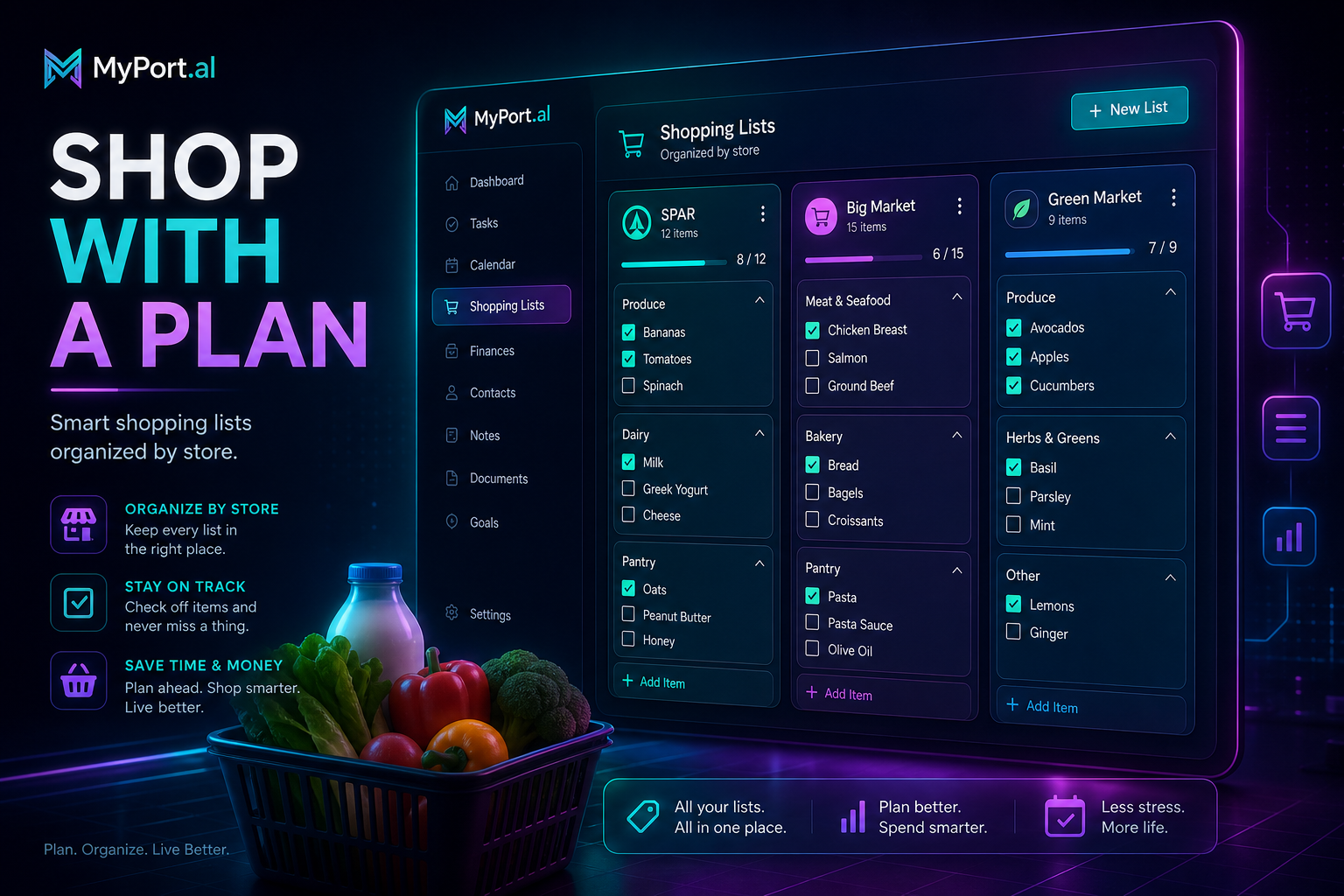
You're in aisle seven. You know you need milk. You also need something from the hardware store next door and a few items from the warehouse club across town. Your phone notes app has one undifferentiated list: "milk, screws, bulk rice, batteries, cilantro." You backtrack twice. You forget the cilantro. You stand in the parking lot annoyed at yourself for a list that didn't match reality.
Shopping lists that ignore where you shop aren't lists — they're wishful thinking on a single screen.
Your Lists, Organized How You Actually Shop
The Lists module organizes shopping items by store and category with in-line editing and statistics. Group items by the store you'll visit, sort by aisle or category within each store, and edit on the fly as you walk the shelves. Your dashboard becomes the command center for every errand run — connected to Recipes and Meal Planner when you're cooking, standalone when you're not.
Saturday, 9:00 AM. You open MyPort.al on your phone. Costco shows bulk items and snacks. Home Depot has the screws and batteries. The grocery store list is sorted by produce, dairy, and pantry. You knock out three stops without backtracking. Statistics show you've completed 47 shopping trips this month. Small data, big satisfaction.
What Makes It More Than a Checklist
This isn't a single flat list with checkboxes. The Lists module is built for people who shop at multiple places:
- Store-based organization — separate lists for each retailer you actually visit
- Category grouping — sort items by aisle, department, or custom categories within each store
- In-line editing — add, check off, and modify items without opening a separate edit screen
- Statistics tracking — see completion rates and shopping patterns over time
- Recipe and meal planner integration — push ingredients from Recipes directly into the right store list
- Dashboard-native workflow — refresh and manage lists from the module header like every other module
The Fun Factor
There's a particular joy in walking a store once, top to bottom, checking off every item without doubling back. When your Recipes module sends ingredients to Lists and your Meal Planner already decided the week's meals? Grocery shopping stops being a weekly negotiation and starts being execution.
Power users build store templates — default categories for their regular grocery run, a hardware store list that persists between projects, a pharmacy list for recurring prescriptions. The list learns how you live.
Who It's For
- Multi-store shoppers who hit Costco, the grocery store, and Target in one Saturday circuit
- Home cooks using Recipes and Meal Planner who need ingredients routed to the right store automatically
- Household managers coordinating shared shopping without text-message list chaos
- Dashboard pragmatists who want errands on the same screen as calendar, weather, and tasks
Start With Lists
Lists takes thirty seconds to set up. Add your first store, drop in a few items, and make your next shopping run embarrassingly efficient.
Preview the Lists module or add it to your dashboard — and stop backtracking through aisles you already walked.
Try the Shopping List app on your dashboard.