
Recipes Module: Your Kitchen Brain on the Dashboard
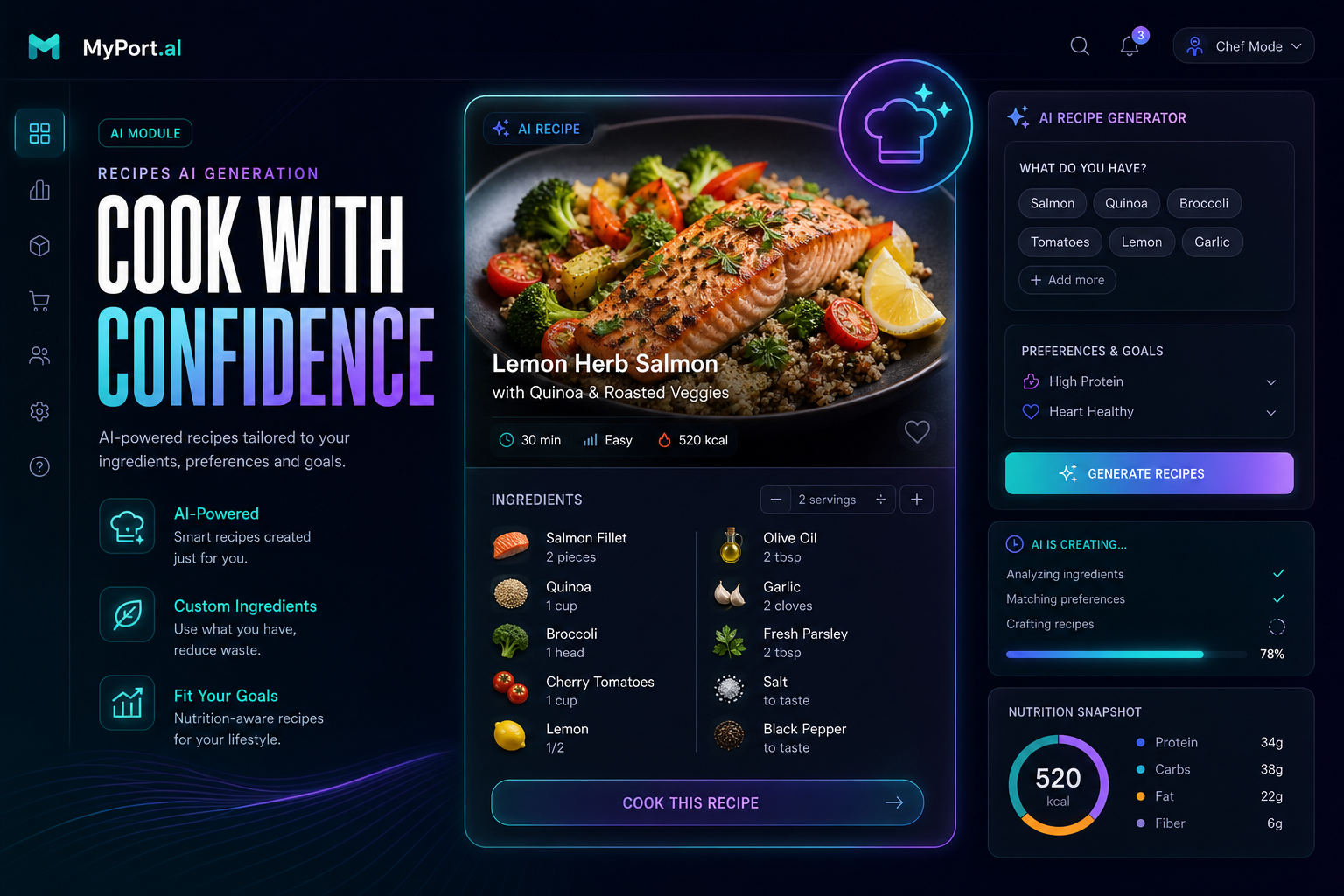
Store and manage favorite recipes with AI-powered generation, image creation, and integration with meal planner and shopping lists — cooking starts before you open the fridge.
Sunday afternoon. You're standing in the kitchen wondering what to make. You open a bookmark folder with forty saved recipes across six websites. Half the links are broken. The other half require scrolling past life stories to find the ingredient list. You order takeout instead.
Recipes trapped in browser tabs and screenshot folders aren't a cooking problem — they're an access problem. The meal you want to make shouldn't require an archaeological dig through your phone.
Your Recipes, Ready When Hunger Strikes
The Recipes module stores and manages your favorite recipes with AI-powered generation, image creation, and integration with the meal planner and shopping lists. Everything lives on your dashboard: searchable, editable, and connected to the rest of your kitchen workflow. No more copying ingredients by hand or wondering if you already saved that pasta dish.
Tuesday, 5:30 PM. You open MyPort.al on the tablet in the kitchen. Last week's AI-generated Thai basil chicken is right there with a photo you created in-module. One tap sends ingredients to your Lists module organized by store. The Meal Planner already has Wednesday slotted. Dinner isn't a decision — it's a pipeline.
What Makes It More Than a Recipe Box
This isn't a static collection of links. The Recipes module is built for people who actually cook:
- Recipe storage and management — save titles, ingredients, steps, and notes in one searchable library
- AI-powered generation — describe what you want or what's in the fridge and get a full recipe draft
- Image creation — generate appetizing visuals for recipes so you recognize dishes at a glance
- Meal planner integration — slot recipes into your weekly plan without retyping anything
- Shopping list integration — push ingredients directly to Lists, organized by store and category
- Dashboard-native workflow — refresh, expand, and manage recipes from the module header like every other module
The Fun Factor
There's something deeply satisfying about opening your dashboard and seeing a week's worth of meals already planned, shopped, and photographed. Recipe collection stops being a hobby you abandon and starts being a system. Generate a new dish on a whim, save it, plan it, shop it — all without leaving MyPort.al.
And when your Lists module fills with ingredients grouped by the store you actually visit? That's the kind of cross-module magic that turns "what's for dinner?" from a nightly stressor into a solved problem.
Who It's For
- Home cooks tired of recipe bookmarks, screenshots, and broken Pinterest links
- Meal preppers who want recipes connected to weekly planning and grocery runs
- Busy parents who need fast dinner ideas with ingredients already on the shopping list
- Dashboard foodies who want AI-generated recipes and images without juggling five apps
Start With Recipes
Recipes takes a minute to set up and instantly upgrades your kitchen workflow. Save your first dish, generate one with AI, and watch it flow into your meal plan and shopping list.
Preview the Recipes module or add it to your dashboard — and stop letting great meals die in your browser history.
Try the Recipes app on your dashboard.