
Pool (iAquaLink) Module: Your Spa, One Tap Away (Beta)
Control pool and spa via Zodiac iAquaLink cloud — heat, pumps, and spa mode from your dashboard. Currently available to beta testers.
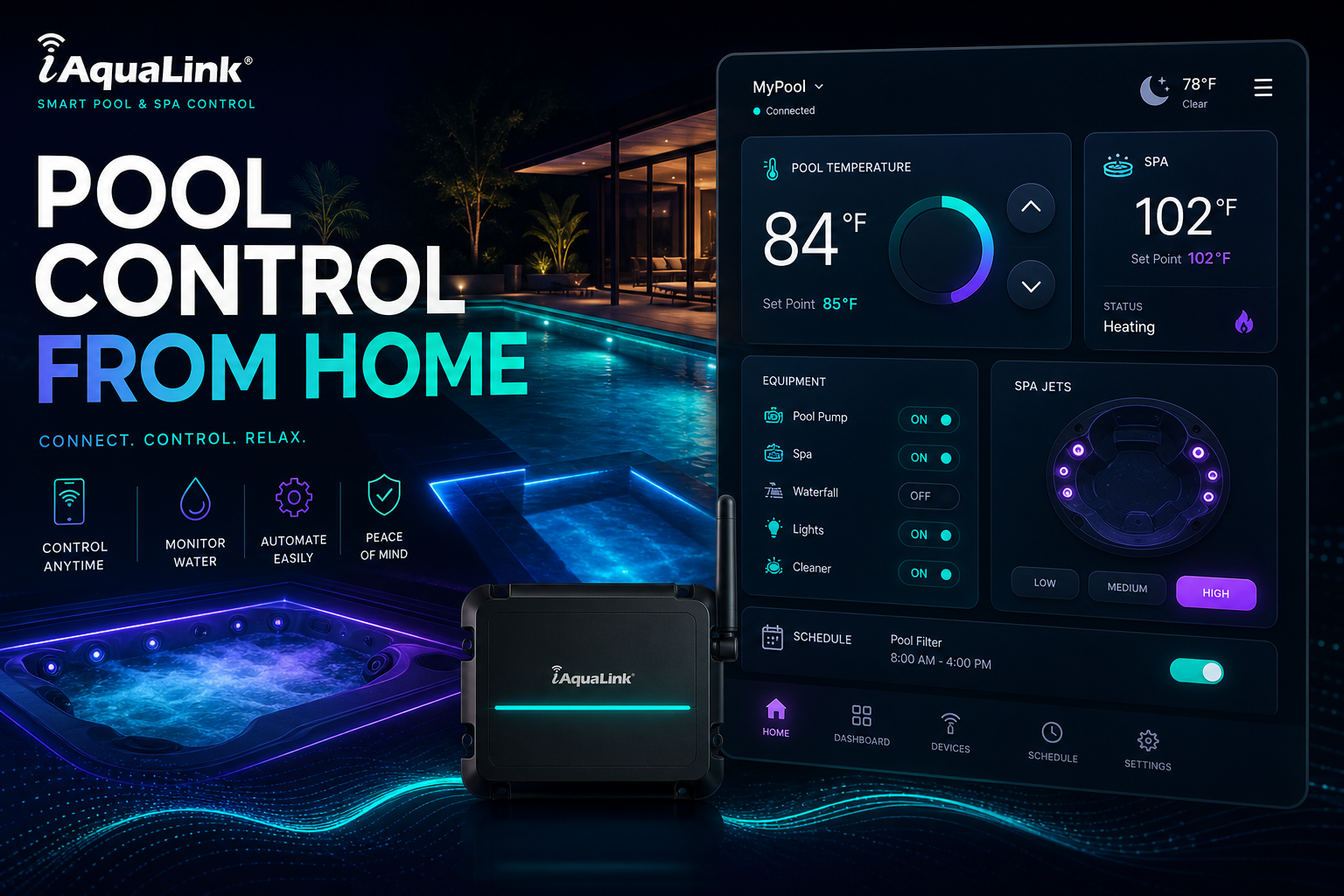
You're driving home from a long day. It's cold outside. You think about the hot tub waiting in the backyard — but is it heated? Did someone turn off the spa mode? Do you need to open the iAquaLink app, log in, navigate three screens, and hope the cloud connection cooperates?
Pool owners know the dance: separate apps, finicky cloud connections, and the eternal question of whether the spa is actually ready when you walk out the back door. Your dashboard already runs your calendar, tasks, and weather. Why shouldn't it run your pool too?
Pool Control From Your Dashboard (Beta)
The Pool (iAquaLink) module connects to Zodiac iAquaLink cloud so you can monitor and control your pool and spa without leaving MyPort.al. Check water temperature, toggle spa mode, and manage equipment — all from a module on your board. This module is currently in beta and requires server-side credentials; access is limited to beta testers while we refine the integration.
Thursday, 5:45 PM. You're wrapping up work on your dashboard. You glance at the Pool module — spa temp reads 102°F, pump status green. You tap spa mode on from your desk. By the time you change clothes and walk outside, the hot tub is ready. No separate app. No cloud login dance. Just your dashboard doing one more useful thing.
What Makes It More Than a Remote Control
This isn't a gimmick widget for tech enthusiasts. The iAquaLink Pool module is built for pool owners who want convenience without app sprawl:
- Zodiac iAquaLink cloud integration — connect to your existing iAquaLink-compatible equipment
- Pool and spa control — manage temperature, pumps, and spa mode from one module
- Dashboard-native interface — refresh status and toggle settings like every other module
- Beta program — early access for testers helping us refine the experience
- Server-side credentials — secure connection model (requires setup during beta)
- Compact and expanded views — quick status check in grid mode, full controls when maximized
The Fun Factor
There's a particular luxury in preheating the spa from your desk while finishing email summaries. Pool control on your dashboard feels like the future home automation promised but rarely delivered — not a separate smart home app, just another module on the board you already open every morning.
When your Weather module shows it's dropping to 45°F tonight and your Pool module confirms the spa is warming up? That's the kind of practical magic that makes a dashboard feel like it actually runs your household.
Who It's For
- iAquaLink pool and spa owners with Zodiac-compatible equipment
- Beta testers willing to help refine a new integration before general release
- Smart home enthusiasts who want pool control alongside their productivity dashboard
- Anyone tired of juggling the iAquaLink app for a quick temperature check
Join the Beta
The Pool (iAquaLink) module is in active beta. If you have compatible equipment and want early access, reach out through MyPort.al support. We're looking for testers who'll help us make pool control as reliable as your weather forecast.
Preview the Pool module or add it to your dashboard — and ask about beta access if you're an iAquaLink owner.
Try the Pool app on your dashboard.