
Calendar Module: Your Schedule, Finally in Context
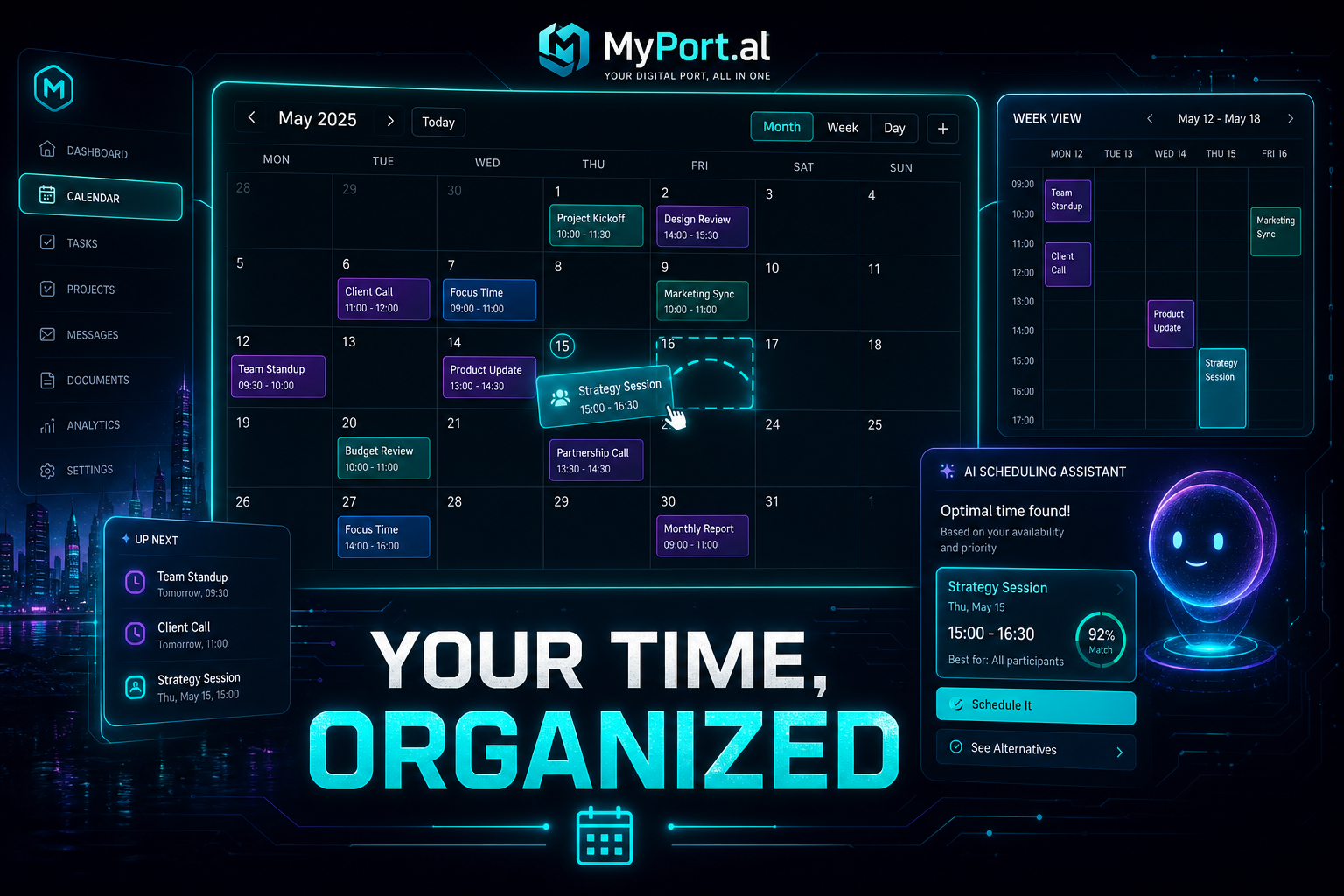
Drag-and-drop events, AI scheduling suggestions, and natural language input — the Calendar module turns your dashboard into the command center for your time.
Your calendar knows your schedule. Your task list knows your priorities. Your brain knows you're double-booked on Thursday — but only if you manually connect the dots across two different apps.
Calendars shouldn't live in isolation. They should sit right next to your tasks, your goals, and your morning briefing — because time is the resource everything else competes for.
See Your Week Without Switching Tabs
The Calendar module gives you a full scheduling experience inside your dashboard. In compact grid view, you get a quick glance at what's coming. Maximize it and you unlock a rich calendar with month, week, and day views — drag-and-drop events, category colors, and working-hours highlighting.
Wednesday, 8:15 AM. You open your dashboard. Calendar shows a design sync at 9:30, a gap from 11 to 12:30, and a dentist appointment at 4. Your to-do list is right beside it. You drag the quarterly report block into that morning gap. No app-switching. No "let me check my other tab."
Features That Respect How You Actually Plan
- Drag-and-drop scheduling — move events with your mouse; changes save automatically
- Natural language input — type "Lunch with Sarah next Tuesday at noon" and let the module parse it
- AI schedule suggestions — find optimal times for tasks based on your existing commitments
- Category colors — visually separate work, personal, health, and everything else
- Working hours view — dim off-hours so you focus on when you're actually available
- Week numbers — for the planners who think in ISO weeks (you know who you are)
The Fun Factor
There's something deeply satisfying about dragging an event to a new time slot and watching the whole week reorganize around it. It's the digital equivalent of sliding a meeting on a physical planner — but your task list, weather, and notifications are watching and ready to react.
And when the Calendar module sends a reminder through the Notifications center with a direct link back to the event? That's not a feature list item. That's your dashboard talking to itself.
Who It's For
- Busy professionals juggling meetings, focus time, and personal commitments
- Freelancers and consultants who need visual clarity on billable vs. personal hours
- Parents coordinating school events, activities, and the eternal question of who picks up whom
- AI-forward users who want natural language scheduling without opening yet another SaaS tool
Put Time at the Center
Your calendar is the spine of your day. Put it on your dashboard next to everything else that depends on it.
Preview the Calendar module or add it to your dashboard — and stop letting your schedule live in a silo.
Try the Calendar app on your dashboard.