
Bookmarks: Save, Organize, and Actually Find Your Links
The Bookmarks module brings collections, tags, AI summaries, screenshots, dead-link checks, and shareable public collections to your MyPort.al dashboard.
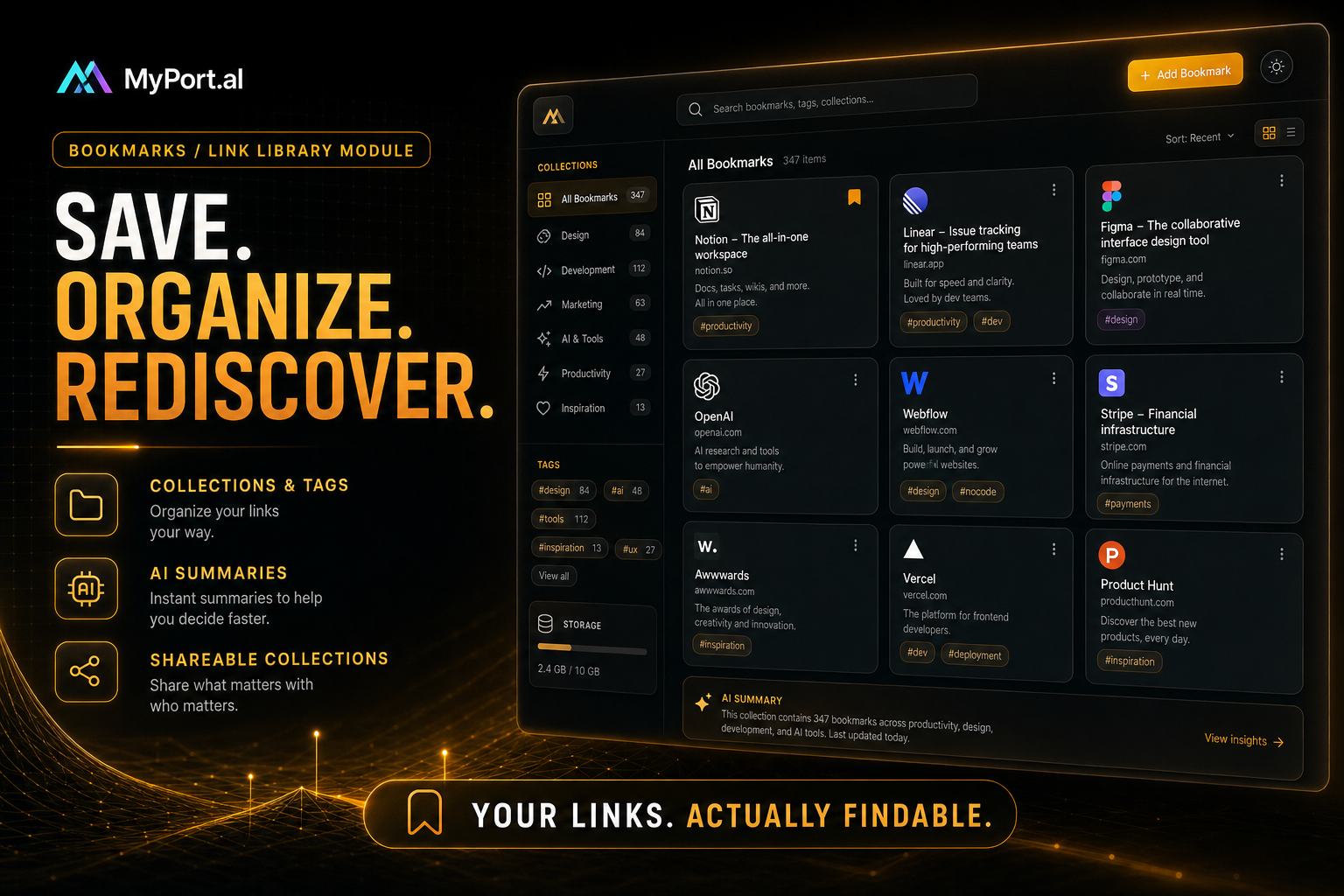
Your browser bookmarks bar is a graveyard. Folders nested three deep. "Read later" that means "never." Half the links 404. The other half you can't find when you need them in a meeting.
The Bookmarks module rebuilds that library on your dashboard — searchable, tagged, AI-enrichable, and shareable when a collection is worth sending to someone else.
Capture Once, Rediscover Later
Save links into collections with tags, favorites, pins, read-later, and archive. Full-text search and status filters cut through clutter. Favicons and OG previews make rows scannable; optional screenshots capture what the page looked like. AI enrich (credit-gated) drafts summaries and suggested tags. Import from Chrome, Edge, or Firefox. Dead-link checks flag rot before you share a dead URL. Layouts include grid, masonry, magazine, compact, and icon — pick what matches how you browse.
Tuesday, 4:10 PM. A colleague asks for that article you saw last month. You open Bookmarks, search two words, and send the public collection link instead of digging through browser sync chaos.
What Makes It More Than a Widget
This isn't a flat list of URLs in a sticky note. The Bookmarks module is built for people who collect links for real work:
- Collections, tags, favorites, pins, read-later, and archive — organize without nested folder hell
- Full-text search and status filters — find links by what you remember, not where you filed them
- Favicons, OG metadata, and screenshots — recognize pages at a glance
- AI enrich — summaries and tags when you want cleanup help (credit-gated)
- Browser import and dead-link checks — migrate old libraries and keep them honest
- Multiple layouts — grid, masonry, magazine, compact, and icon views
- Public share links, stats, and achievements — share curated collections and track usage
The Fun Factor
There's a small thrill in searching a half-remembered phrase and watching the exact card appear — favicon, title, your note, still alive. Sharing a polished public collection feels like handing someone a reading list instead of a chaotic screenshot of your bookmarks bar.
Pair Bookmarks with Notes and Flashcards when research needs to become writing or study material without another tool hop.
Who It's For
- People drowning in browser bookmarks who want a real library
- Researchers and readers building topic collections over months
- Friends and teams sharing curated link lists via public collections
- Power users who want AI cleanup and link health checks
Start With Bookmarks
Bookmarks is free to add (AI enrich uses credits when you opt in). Import a browser export or save three links by hand and feel the difference the next time you need one.
Preview the Bookmarks module or add it to your dashboard — and make your links findable again.
Try the Bookmarks app on your dashboard.